STEP to USD
In order to convert a parametric model to a polygonal one, I highly recommend using Pixyz Studio. It will get you ninety percent there with clean topology and guided per object tessellation detail. Its python scripting environment is also very robust. I use it all the time for cleaning up naming conventions to be more readable and organized when porting to maya. It also has tools for cleaning up scene trees that can get very deep and hard to manage with larger data sets. Once tessellation looks good, it's time to export to fbx and import to maya for further refinement and cleanup. This might also be a good time to assign materialX shaders for display across platforms. When exporting to USD I recommend ASCII format for downstream readability and editability of the USD data (assuming file size is not an issue). I would also recommend 'none' for subdivision methods to preserve normals from maya. Lastly make sure maya instances are converted to instanceable references so the usd remains light and easy to work with. If you have very dense meshes, I would also recommend creating a duplicate lowres mesh for those. Once you import the USD file back into maya, you can tag the lowres geometry as proxy, so you can have only proxy meshes shown in the viewport, and only at render time will the highres models tagged 'render' get loaded. There are a ton of optimisations that can be done when working with large USD data sets, such as marking chunks as payloads that you can load in and out at will. I recommend visiting nVidia's 'Learn OpenUSD' curriculum to understand everything USD can do (link below). For further manipulation and rendering of the USD file, I recommend Nvidia Omniverse' USD Composer. If you're looking to further optimize and streamline your USD stages, this is a great tool to try out different variants and opinions to create an endless variation of looks for your USD assets non-destructively. It's also great if you just want to make a pretty render, with tons of materials and lighting scenarios to try. Think of it like a free version of Marmoset toolbag.
https://docs.nvidia.com/learn-openusd/latest/index.html
(model from Aqeel khalil at grabcad.com)
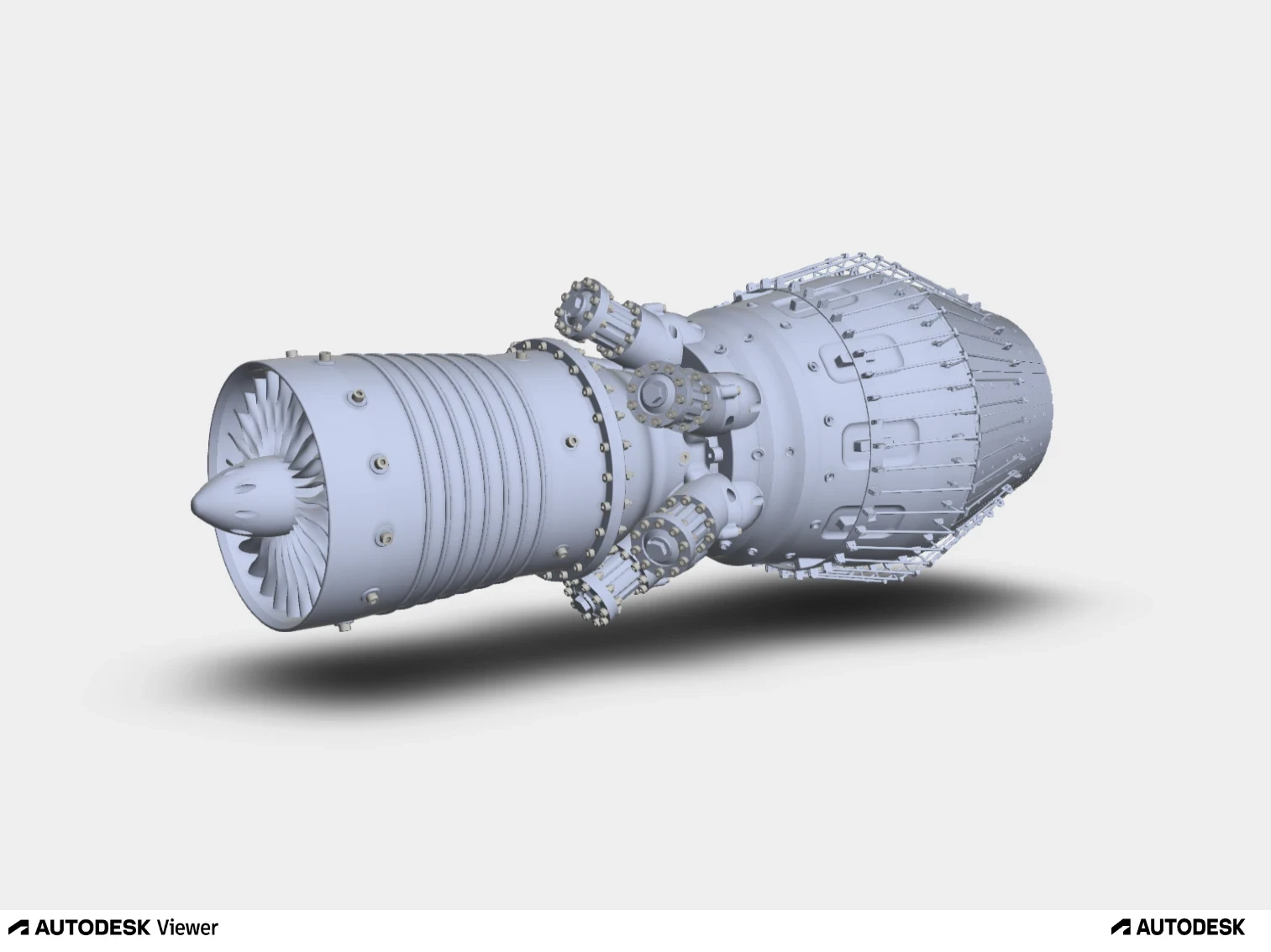
STEP model

Pixyz Studio for tesselation

Maya fbx import

Maya manual clean up

Maya USD export settings

Create LOD's by making proxy versions and tagging them as such in the usd attribute editor
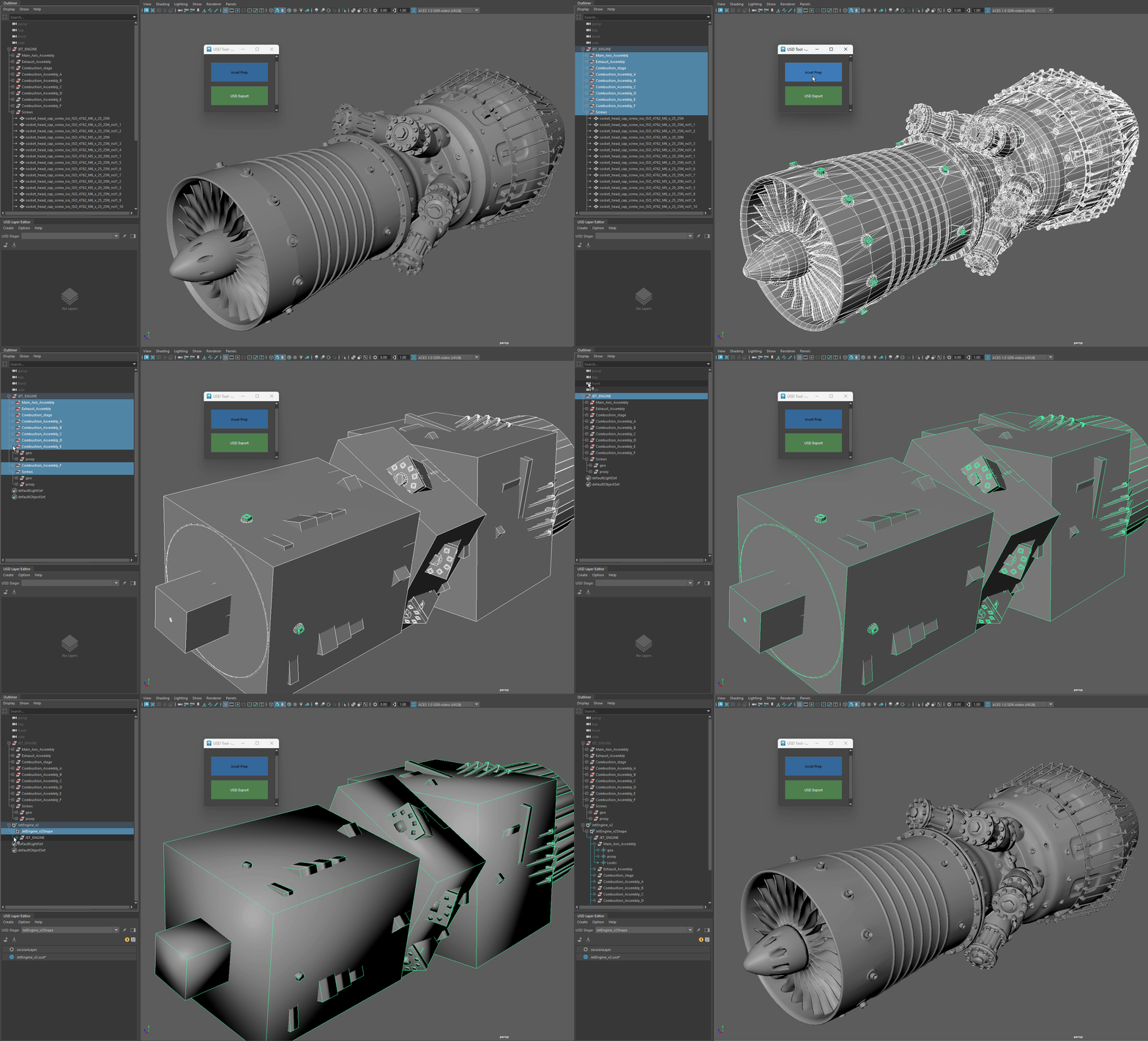
Automating asset prep and USD export by automatically creating proxy meshes and easy to read asset structures with proper prims on export.

Nvidia's USD Composer

Automating tagging and handling of USD assets in maya can greatly speed up workflows. Here's an example of a tool that can auto set the purpose and type of usd assets.

Usd has a very robust python api to automate exports as well. In this example a python script automatically exports a separate flattened usd for each child group of the parent and assembles an empty stage with the exported usd's as sub-layers.
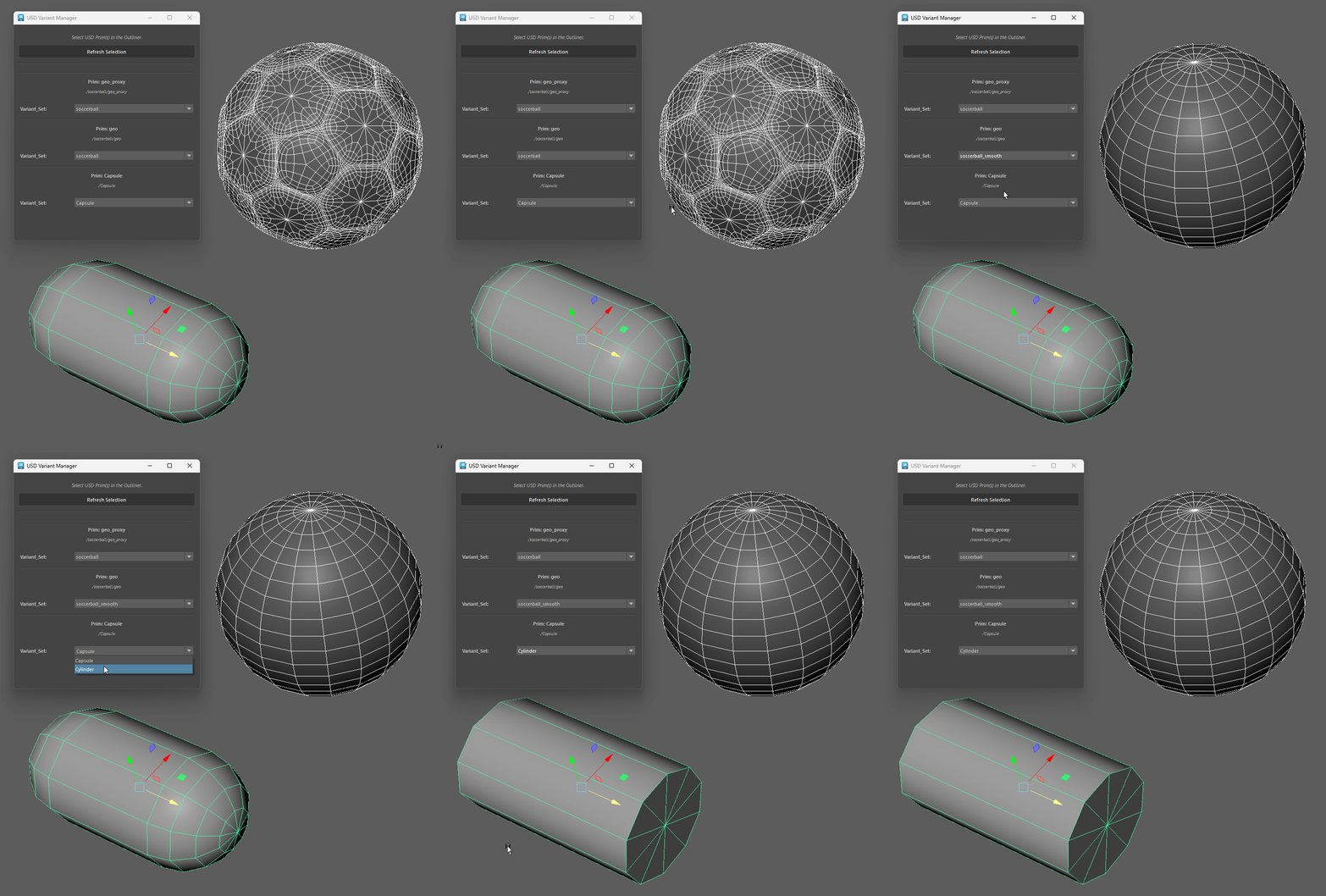
Made a basic USD variant manager that looks at the prims in your maya scene and displays the variant sets off all prims with variants for easy switching between them